AY-Robots Client
One desktop app that records demonstrations with your SO-100, trains policies in the cloud and lets the AI pilot drive the arm. The robot driver is bundled, so there is no Python setup.
macOS · Windows · Linux · free for personal use
All platforms
Every build is produced by CI on its own runner and published with a SHA-256 checksum.
The AppImage needs the executable bit. Browsers cannot set it, so run this once after downloading:
chmod +x AY-Robots-Client_2.0.0_linux-x64.AppImageSHA-256 checksums
a7312481e756f1c35051a0b696d7bc34a44e187a99e89bcc696bfc78a5011160e5bf99fcae59daf5fe7bf415d721aeb64c3166a0c6c6f4fb992b4117c7f7eb804369bbf1b61414afeba435ee18d0e7f20a8b4a3b16dd010808c668dcf3f3c7593de3f2407cdba2eec8ccaf7f7abb64e7281f05456bae3d7b4ddf229bcf362dcf166552821c2b19be2daa05349556b6d86a369f441cc8e3c9bbad3d25e4503e7cPrefer the terminal?
The ay-robots CLI drives the same hardware from the command line, and doubles as an MCP server so coding agents can operate your arm.
curl -fsSL https://www.ay-robots.com/install.sh | shirm https://www.ay-robots.com/install.ps1 | iexThen run ay-robots pair <code> and ay-robots record. See the MCP integration guide to connect it to Claude Code.
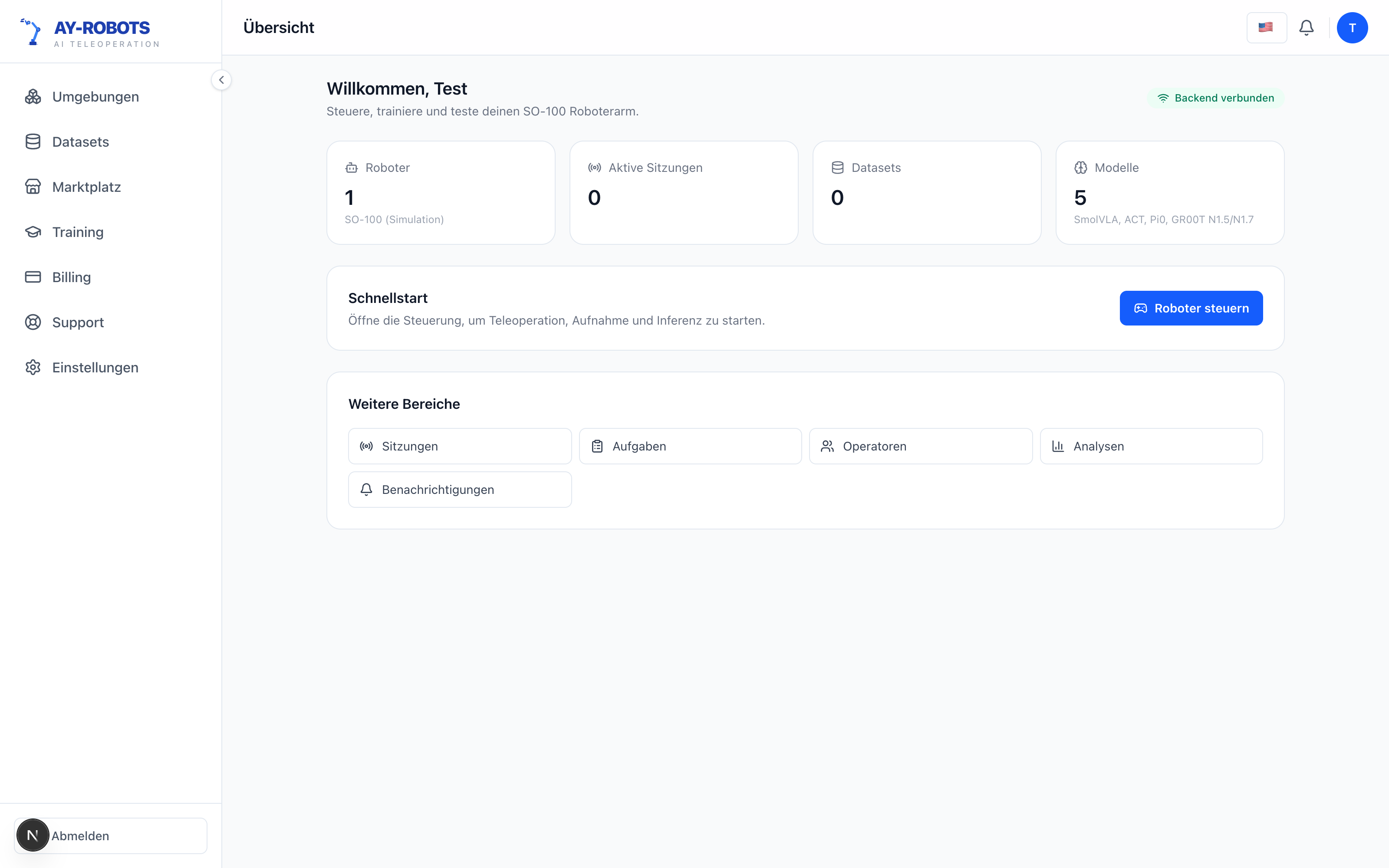
Everything about your robot in one place
Arms, cameras, datasets and training runs live on a single dashboard. You always see what is connected, what is recorded and what is training.
- Connected arms and cameras at a glance
- Dataset and run status without digging
- Same account as the web platform
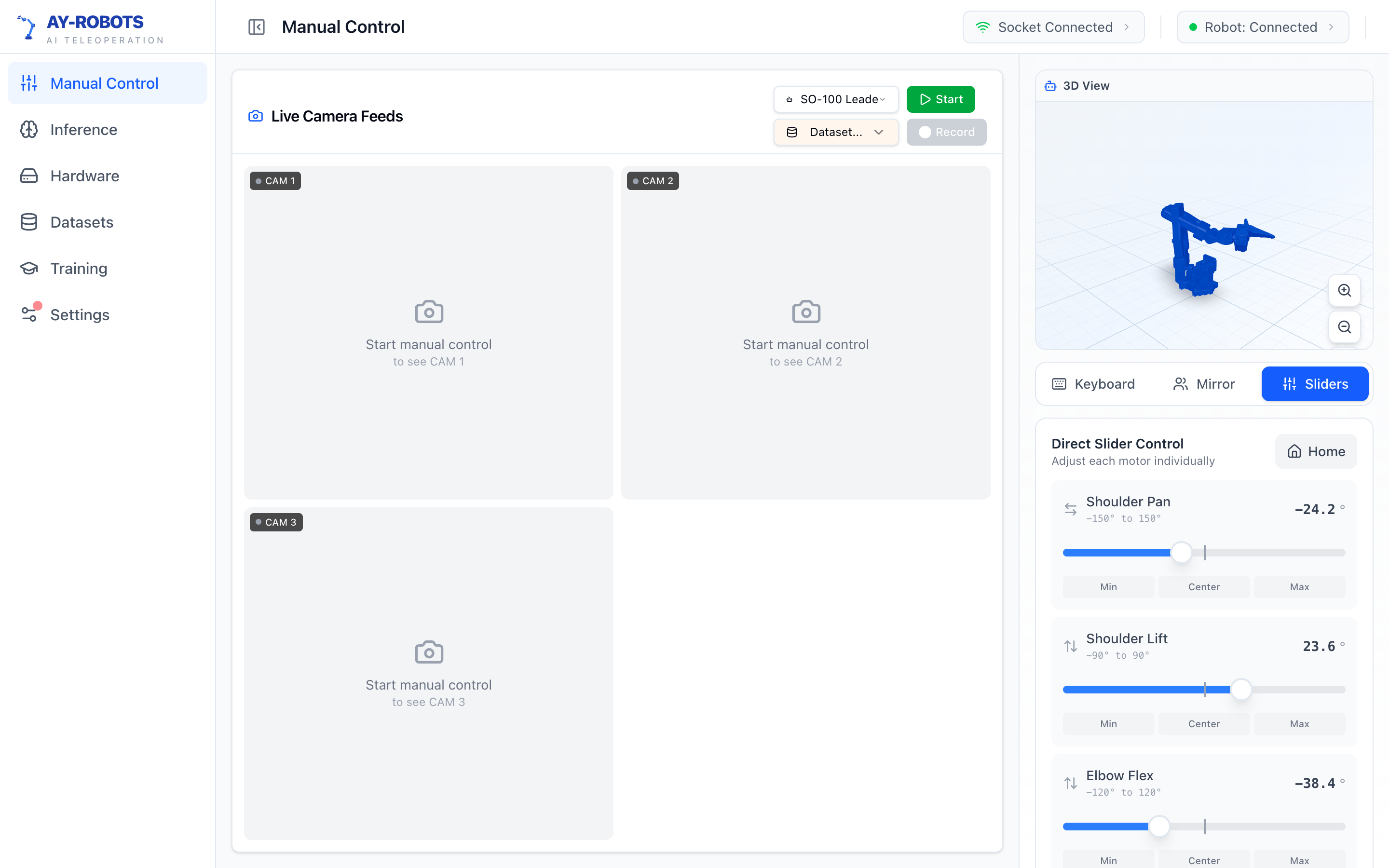
A live cockpit for the arm
Watch the arm as a live 3D model next to the real camera streams. Joint positions, gripper state and serial health update in real time.
- Live 3D visualization of every joint
- Camera streams side by side
- Automatic serial port and camera detection
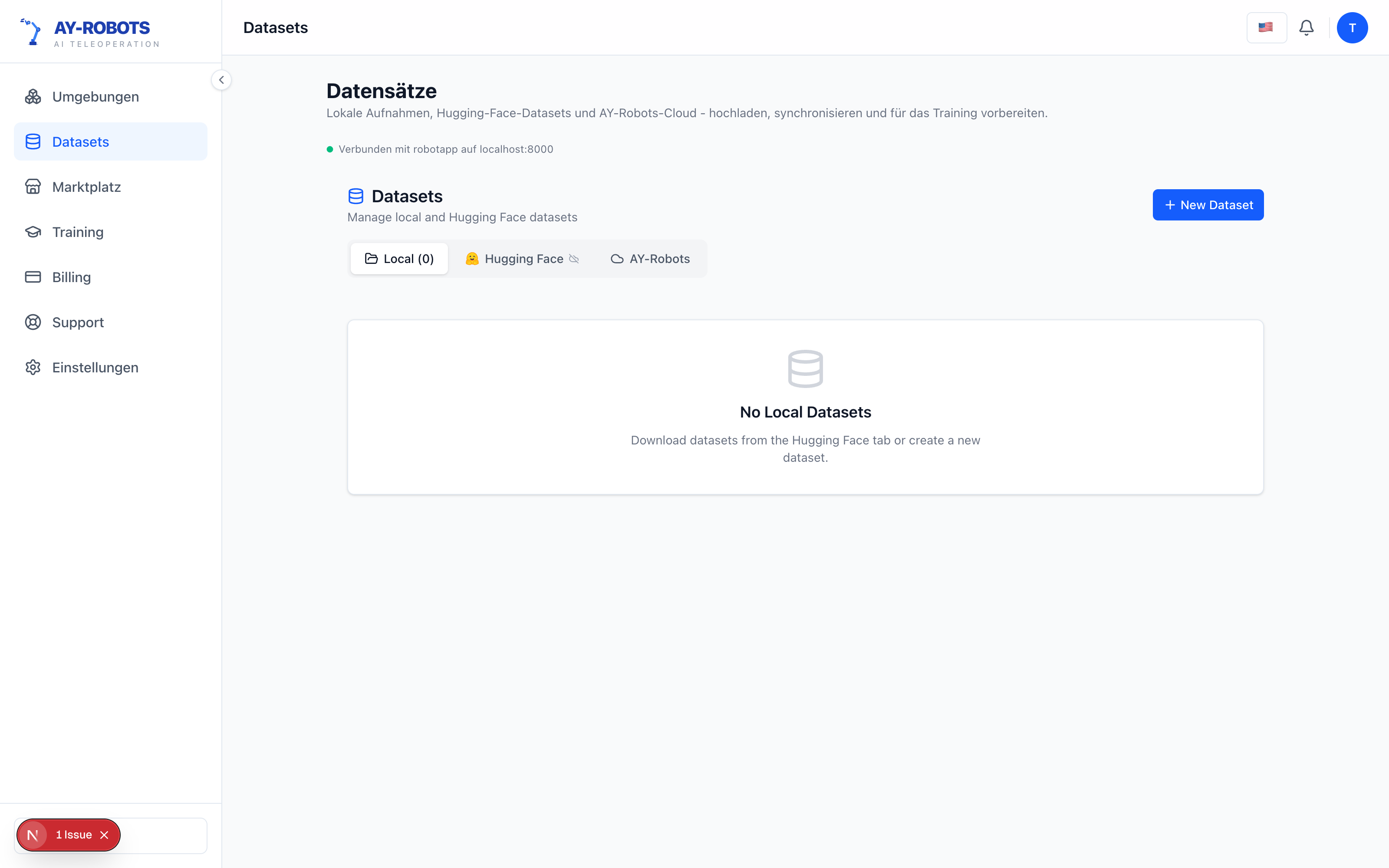
Datasets you can actually inspect
Browse recorded episodes, replay them frame by frame and throw away the bad ones before they poison a training run. Then upload with one click.
- Episode replay before you upload
- Native LeRobot format export
- Uploads resume if the connection drops
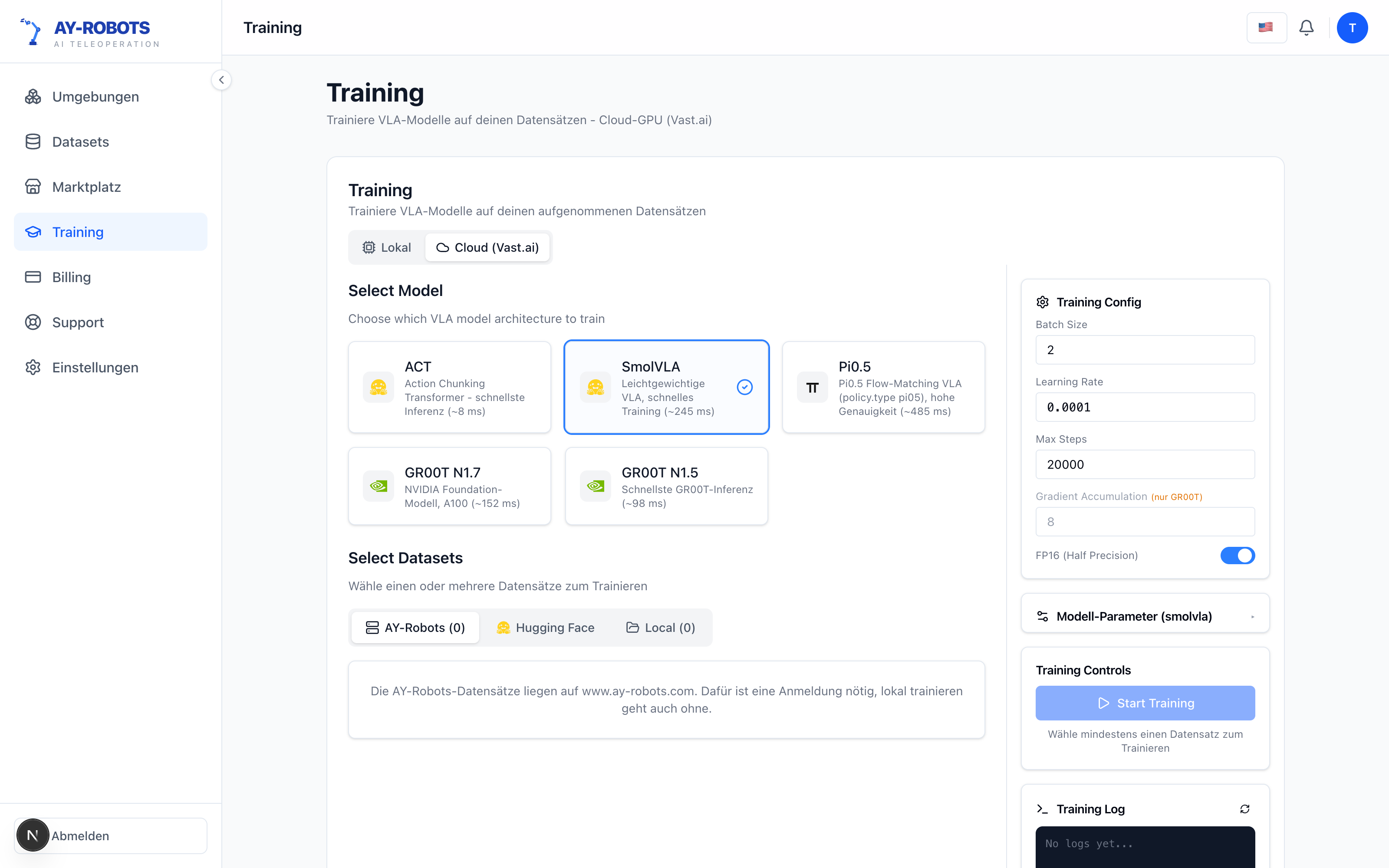
Watch your policy learn
Every cloud run gets its own page with loss and learning rate charts, GPU telemetry and a live log viewer. Checkpoints are kept per run, so you can resume or roll back.
- Loss, LR and gradient norm charts
- GPU, VRAM and temperature telemetry
- Per-run checkpoints with resume
Data collection
A guided recording wizard with countdown, review and retake. Every episode lands directly in the LeRobot dataset format, ready for training.
Cloud training
Upload a dataset and launch GPU training runs for policies like GR00T, ACT or SmolVLA. Follow loss curves and checkpoints live from the run page.
AI pilot
Load a trained policy and let it drive the arm. The same app that recorded your demonstrations runs inference on real hardware.
Local-first
Recording and replay work fully offline. The client talks to the cloud only when you pair, upload or start a run.
Try the arm right here
This is the same SO-100 model the client shows in its cockpit. Drag the joints and get a feel for the workspace before you even plug in hardware.
Built for the SO-100
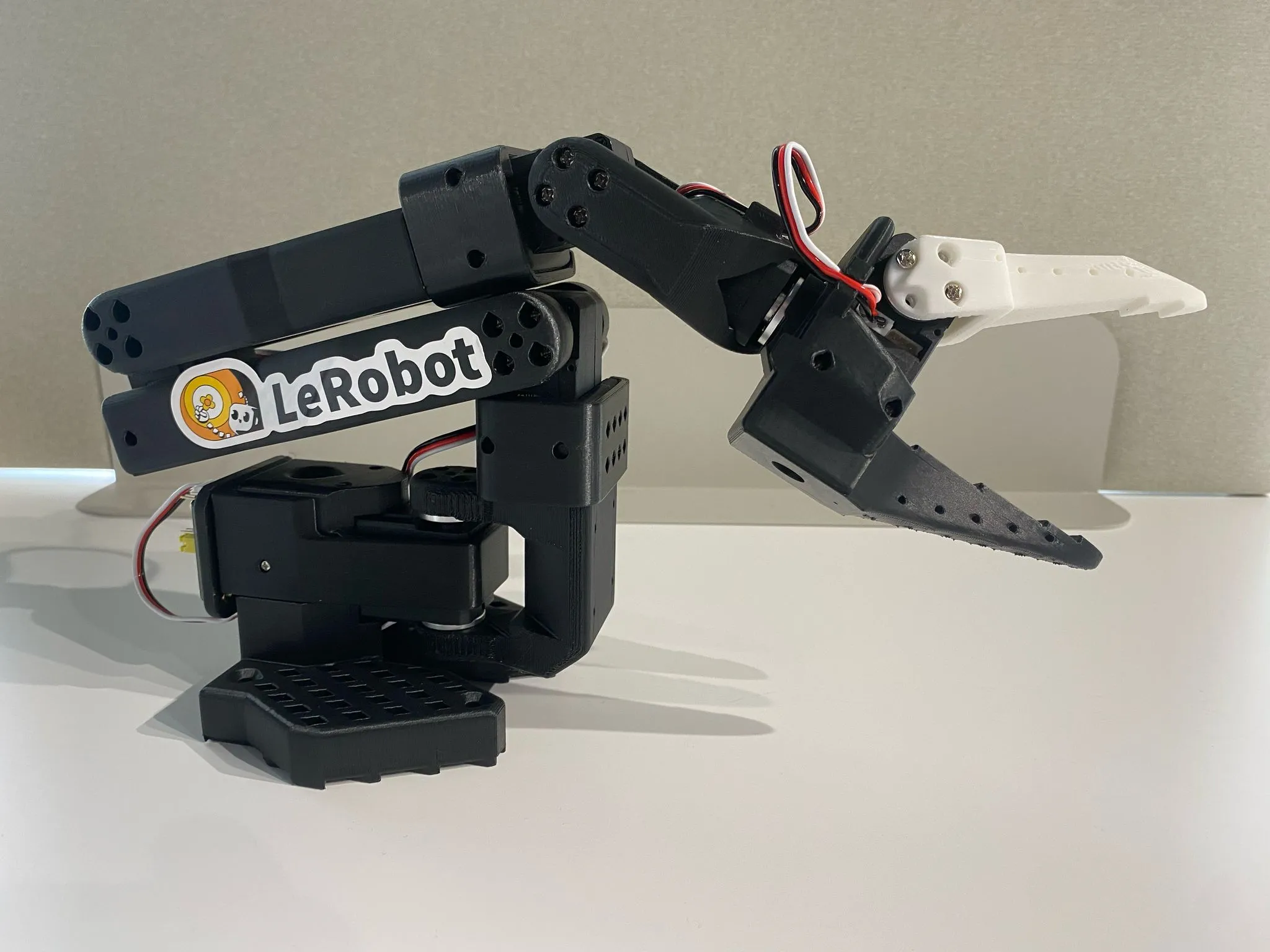

The client is developed against the SO-100 and its variants, the low-cost 6-DOF arm the open robot learning community has settled on. Plug it in over USB and the client finds it.
- SO-100 / SO-ARM100 and Koch v1.1Leader and follower configurations, gripper included.
- Serial auto-detectionNo port hunting. The bundled driver scans and connects on its own.
- USB and RTSP camerasAny UVC webcam works out of the box, IP cameras connect over RTSP.
From install to first episode
Four steps. No Python environment, no ROS installation, no dependency hunt.
Install
Download the installer for your system and run it. Everything the arm needs is bundled.
Pair
Enter the pairing code from your dashboard. The client links itself to your account.
Set up
Pick your arm and camera. The client detects connected devices on its own.
Record
Describe the task, reset the scene, record your demonstrations, upload.
System requirements
Windows builds are not code-signed yet
On Windows, SmartScreen may warn that the publisher is unknown — choose “More info” and “Run anyway”. Every build ships with a SHA-256 checksum above so you can verify what you got.
The macOS builds are signed with a Developer ID certificate and notarized by Apple, so they open normally.
Ready to record your first dataset?
Install the client, pair your arm and record your first episode today. New to the hardware? Start with the guide.