Your setup
You bring teleop demos in LeRobot format or record them with our client. Plus photos of your setup and one sentence per task.
The pipeline is built for the SO-100 with a front and a wrist camera.
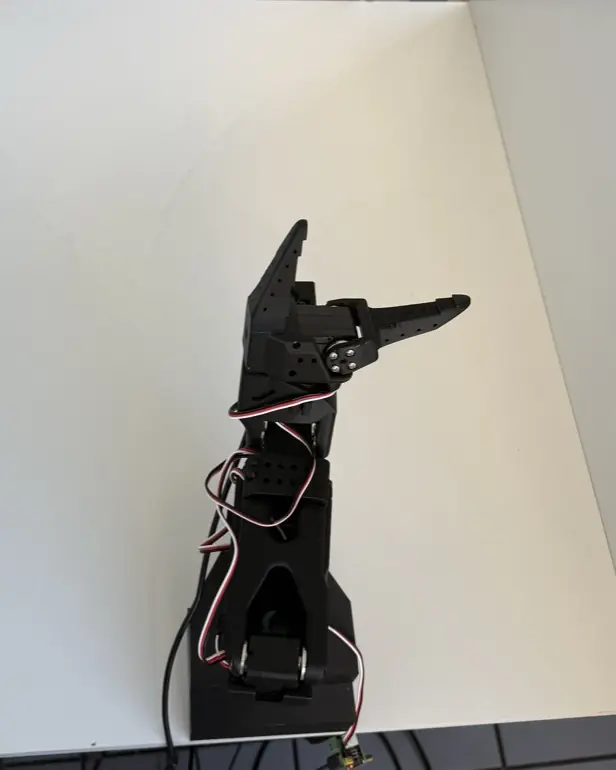
This is demo 501 from our dataset. The blue outlines show where sponge and box lay in sim episodes made from this one demo.
For the SO-100 with front and wrist camera. From €61.50.
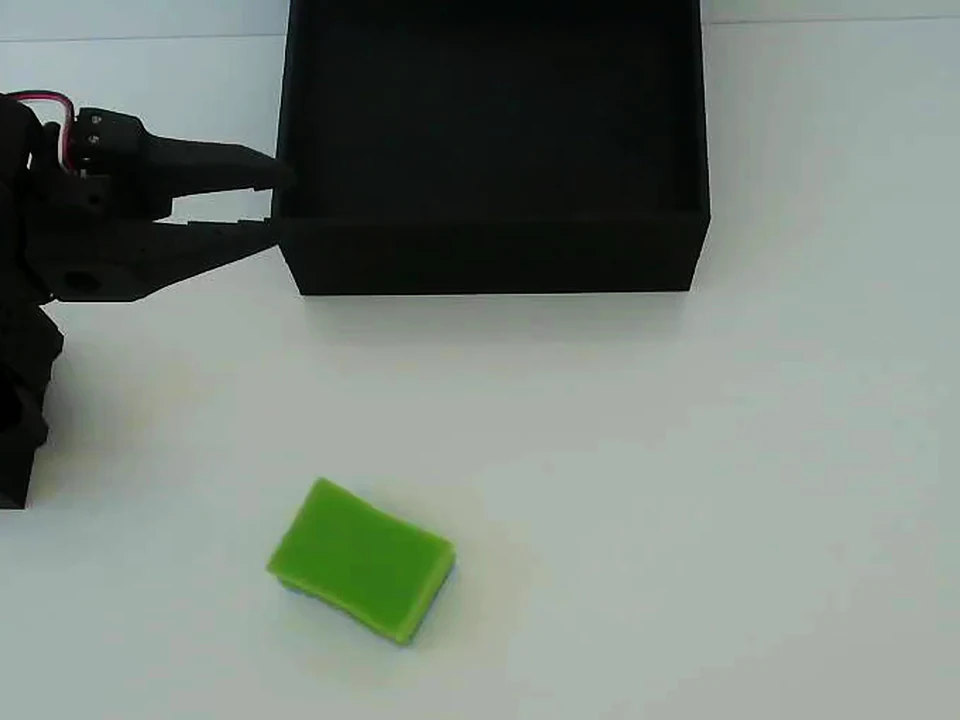
Every sim episode retraces the path of a real demo, shifted to the new start pose. Left the real demo 501, right the sim episode made from it, frame by frame in sync.
This sim episode stays close to the template: no joint deviates by more than 4.8°.
Real
Sim
While you drag, the preview jumps between 30 key frames per camera. Playback runs all 424 frames at 30 per second.
0.0 s of 14.1 s, frame 1 of 424
Shoulder pan
Shoulder lift
Elbow
Wrist flex
Wrist roll
Gripper
Loading joint curves …
This frame as it appears in data/chunk-000/episode_000071.parquet (sim, excerpt):
frame_index 0 timestamp 0.000 observation.state […]You bring teleop demos in LeRobot format or record them with our client. Plus photos of your setup and one sentence per task.
The pipeline is built for the SO-100 with a front and a wrist camera.
We rebuild the scene in Blender by hand from your photos. An optimiser then calibrates both cameras against real frames. In our scene the edges land 0.80 to 0.84 pixels from the real image.
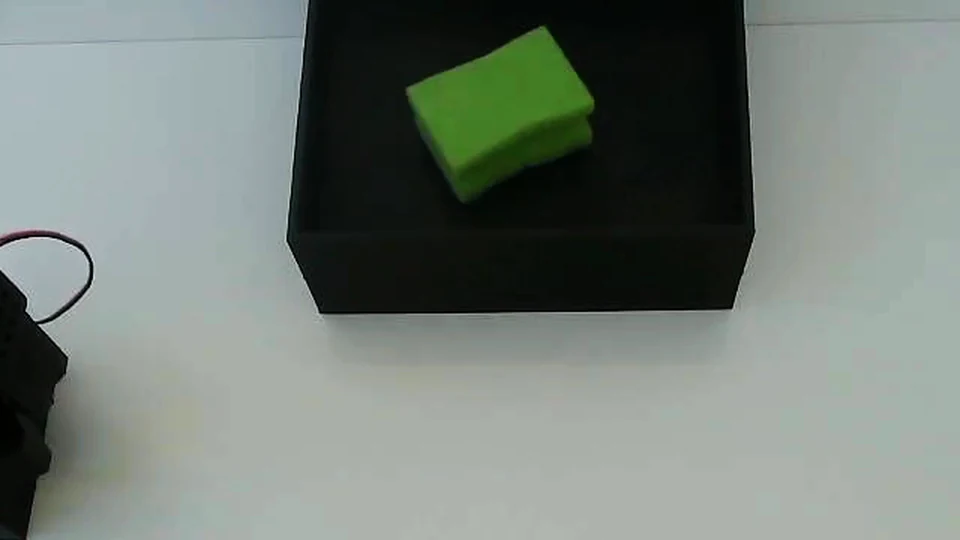
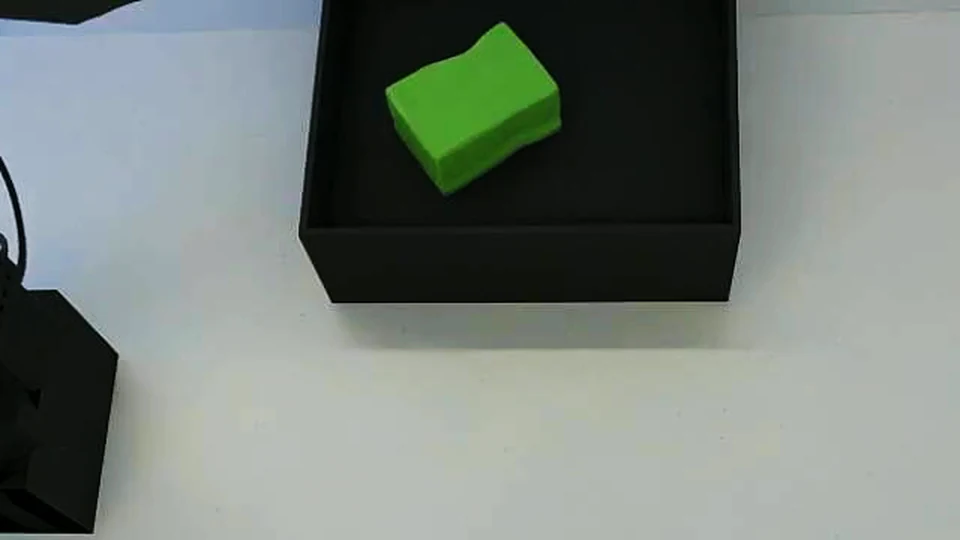
For each episode the pipeline draws new values. The path of your demo is moved to the new start pose and run at ×0.9–1.1 speed.
Not varied: task, robot and environment. You book those one by one, see prices.
In the front camera the change of light is barely visible. What you do see is the position and rotation of the sponge, the box position and a small camera offset. 7 examples above
MuJoCo computes the arm and the deformable sponge. Blender renders the front and wrist camera at 1,280 × 720, about 6 to 10 minutes per episode on an RTX 3090.
Real demo 501 and the sim episode made from it, 3.5 to 9.5 s, frame by frame in sync. The sim video is not a recording.
Every episode has to pass automatic gates. Whatever fails is not included.
In our first production run, 3,134 episodes passed every gate.
teil-000/groot/ meta/ info.json episodes.jsonl herkunft.json … data/chunk-000/ episode_000071.parquet videos/chunk-000/ observation.images.primary/ episode_000071.mp4 observation.images.wrist/ episode_000071.mp4
{
  "neu": 71,
  "herkunft": "sim_v2",
  "basis_seed": 104002,
  "length": 424,
  "vorlage_real": 501,
  "startlage": {
    "xy_soll": [0.1019, 0.3265],
    "gier_grad": 58.1, …
  },
  "tempo": 0.9793, …
}I need episodes for one task in one environment.
You create an environment with photos in the dashboard, pick your demos and book. Every order starts as a project of its own: we look at your data and photos before production begins.
Paid from your credit in euros. The price per episode is based on the measured costs of our own production of 3,134 episodes. Top up credit
Only episodes that pass all automatic checks count, and if fewer pass than you booked, we refund the difference.
Prices apply to the SO-100 with two cameras at 1280 × 720 and episodes as long as your demos. Other arms, more cameras or longer episodes need more render time, so talk to us first. Contact
Total
€315.00
Packages for one environment and one task:
Our first production ran from 7 to 9 October 2026. 3,134 episodes passed every automatic gate. After review we added 2,069 of them to our own training list (as of 9 October).
Our own comparison of real vs. real + sim is prepared but not trained yet. Until there is a result, we promise no gain.
In one study with a robot arm and a humanoid, sim data trained together with real data improved real-world performance by 38% on average. In a second paper, the success rate of π0.5 on pick-and-place fell from 71.9 to 68.8%. These figures apply to the setups in those papers, not automatically to yours. Source 1 (arXiv 2503.24361) Source 2 (arXiv 2602.12628)
Sim frames can still be told apart from real ones, for example by the speckled table top and the smooth sponge surface. Measured against the spread between real recording days, the image distance (KID) is 17–21× for the front camera and 7.6–11× for the wrist camera. The target is at most 1×.
So far one task with one robot in one environment is proven: pick up a sponge and put it in the box, with the SO-100.
LeRobot v2.0 with robot_type so-100 at 30 fps, two cameras (front and wrist) at 1280 × 720, action and observation.state with 6 values each in degrees, quantised to 0.1°. You get two layouts: GR00T with Parquet plus one MP4 per camera, and 2cam with JPEG inside Parquet for Pi0.5.
An environment in your dashboard with photos, videos and a short description of your setup, your teleop demos per task as a LeRobot dataset or recorded with the AY-Robots client, and a short description of each task. We check your data before production starts.
The pipeline is built and calibrated for the SO-100. Other arms, including the SO-101, need tuning of their own, which the prices on this page do not cover. Talk to us before you book.
Research reports gains in many setups, but also declines on single tasks, see the sources above. Our own comparison of real vs. real + sim is prepared but not trained yet, so we promise no gain.
No, and we do not claim they do. Sim frames can still be told apart from real ones. That is why a quality gate measures every shard against the real data and can stop production when a shard exceeds its limits.
Your dataset stays yours, as everywhere on AY-Robots. We use your demos, photos and task descriptions to rebuild the scene and to generate the sim episodes. Real frames are blurred for privacy before the per-episode review, and the rendered surroundings are rebuilt without people.
No, every task needs its own demos. The movements come from your demos, moved to new start poses and rotated, not from a task description. So far we have built one task in one environment ourselves: pick up a sponge and put it in a box.
A one-off fee per environment and per task plus a fixed price per episode, see the calculator above. It is paid from your credit when you book, with no subscription. Counted are episodes that passed all automatic checks, and if fewer pass than you booked, we refund the difference per episode.
Create an environment and book your first simulation.