Free software for every SO-100 you sell.Plus 10% for you.
AY-Robots is the free desktop app for the SO-100 and SO-101. Your customers use it to set up the arm, control it, record datasets and train policies. You link the app or put a card in the box.
More than 330 registered users, visitors from 78 countries in the last 30 days, 182 datasets in the marketplace. As of 14 de novembro de 2026.
What the software does
Screenshots of the real app and recordings of our own SO-100. Your customers install the app on the computer the arm is connected to.
Set up
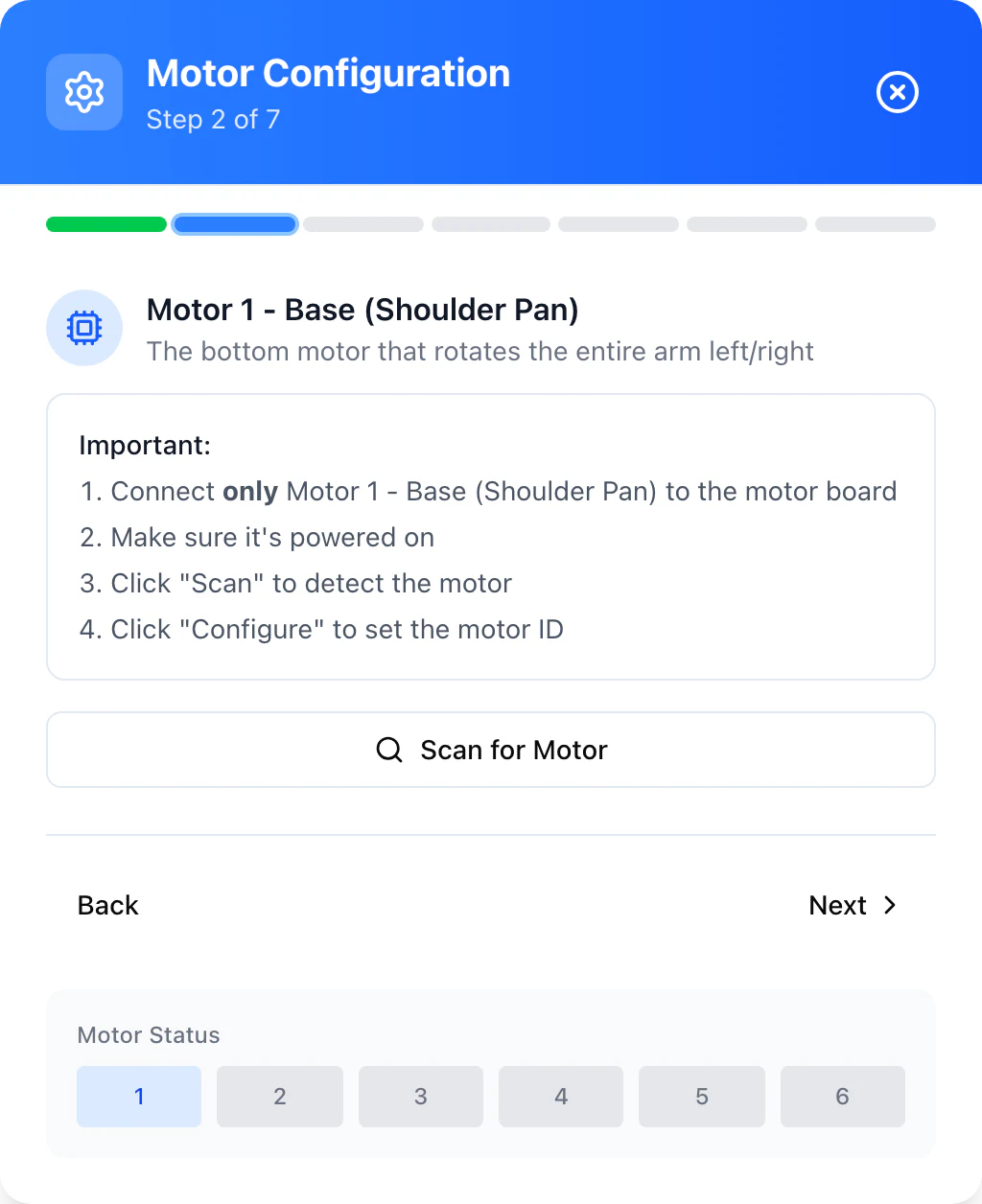
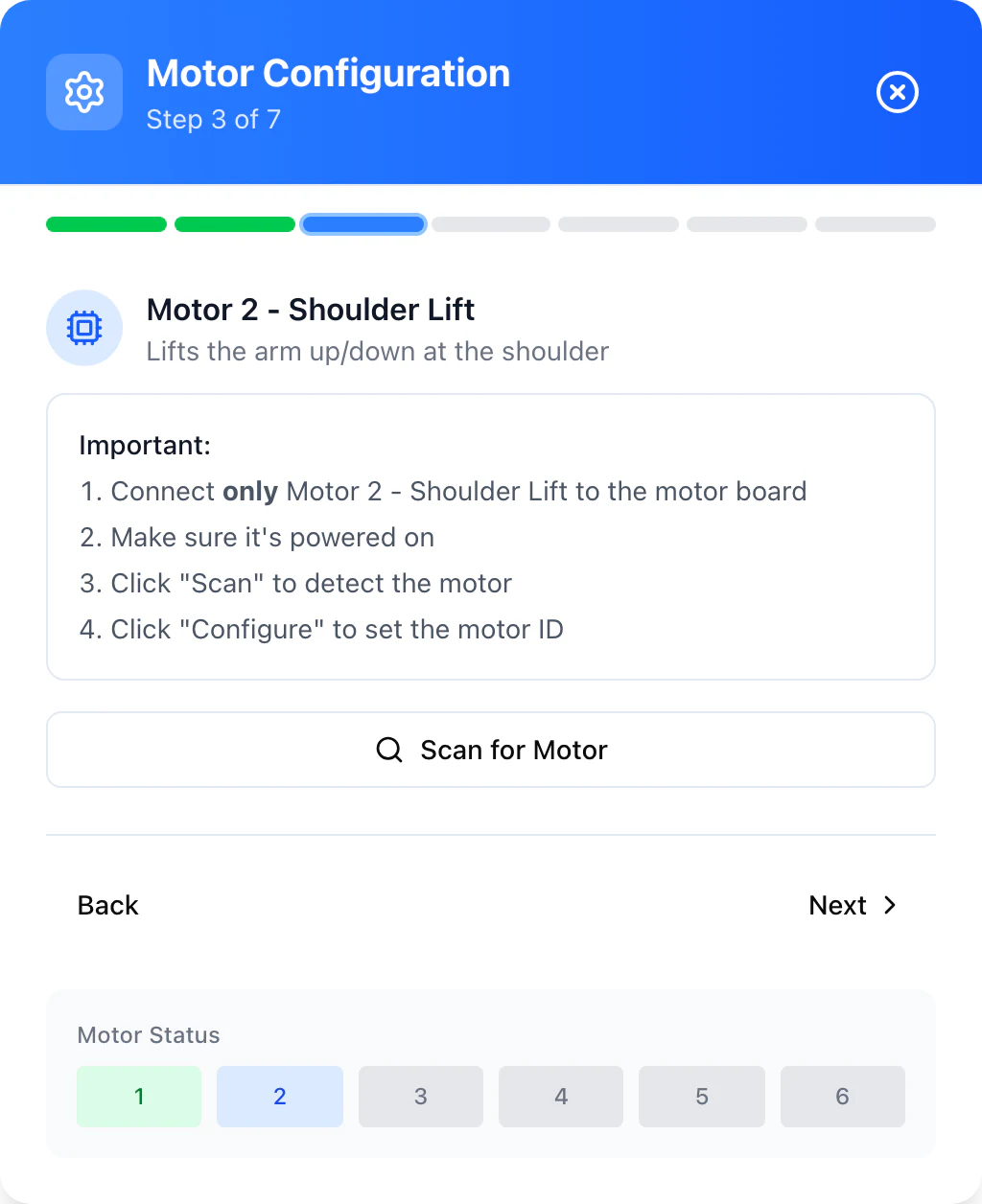
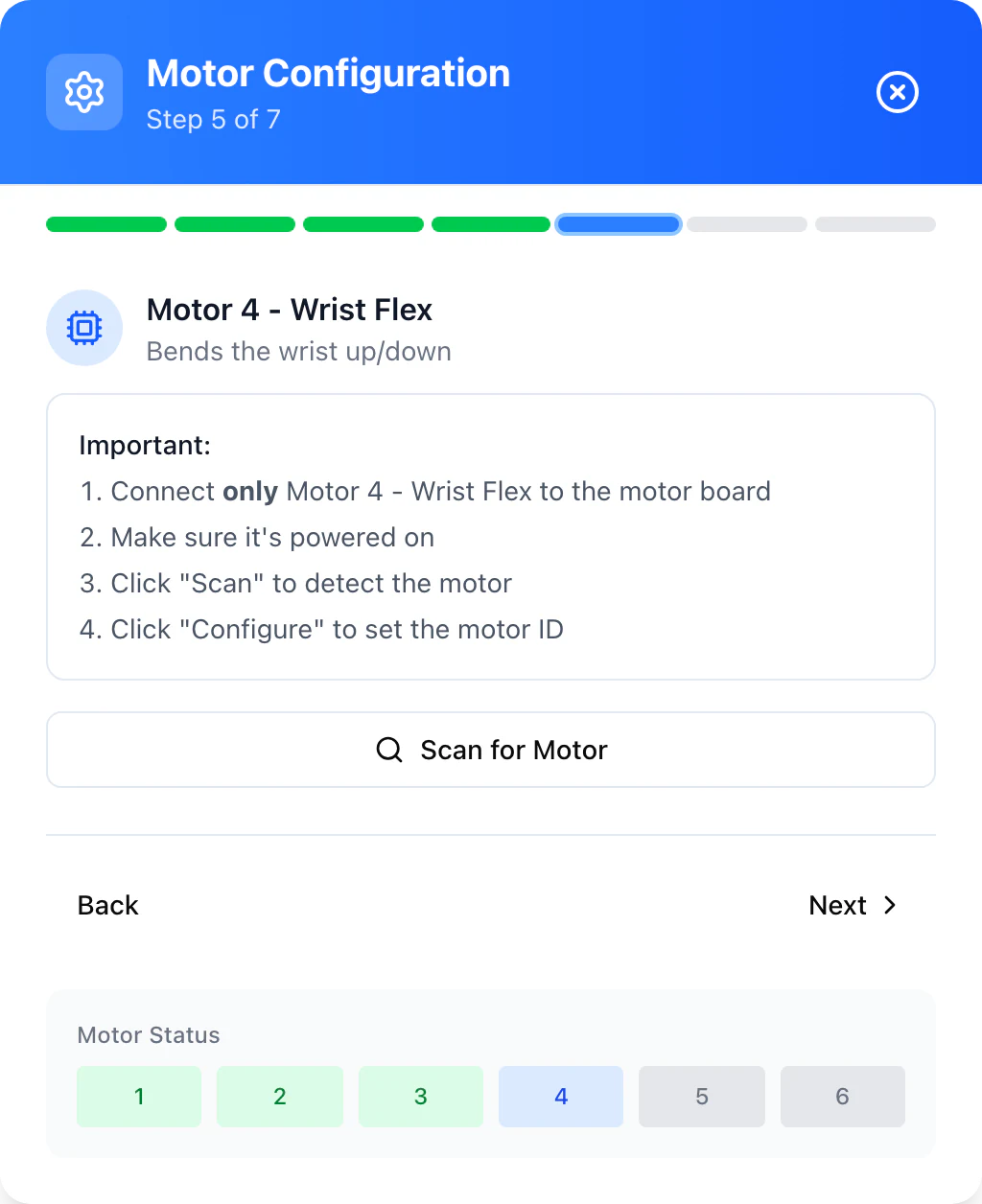
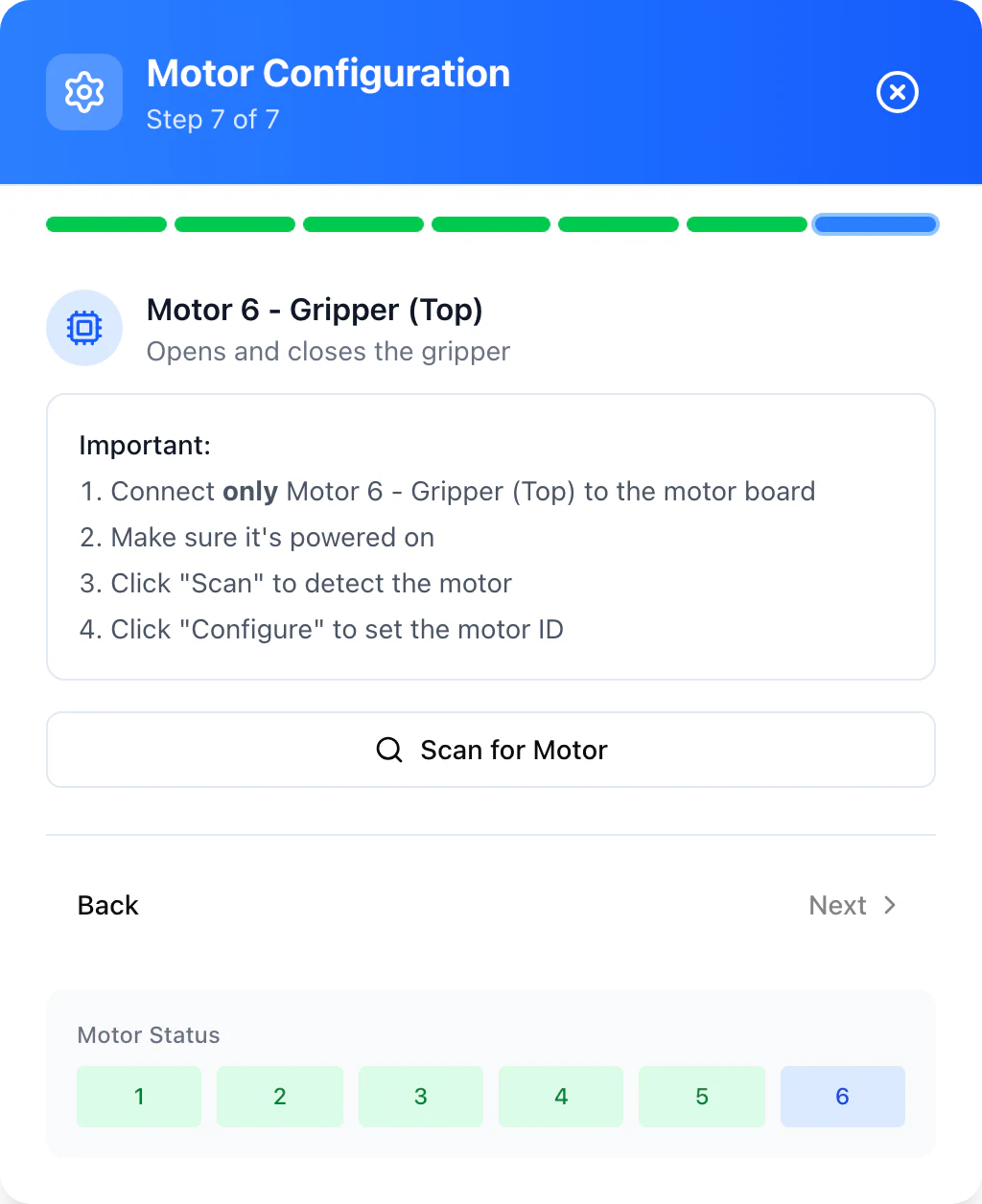
Six motors, one at a time
A wizard assigns the IDs of all six servos. Your customers connect one motor, click Scan and move on to the next.
Meant to spare you questions about mixed-up motor IDs.
Calibrate
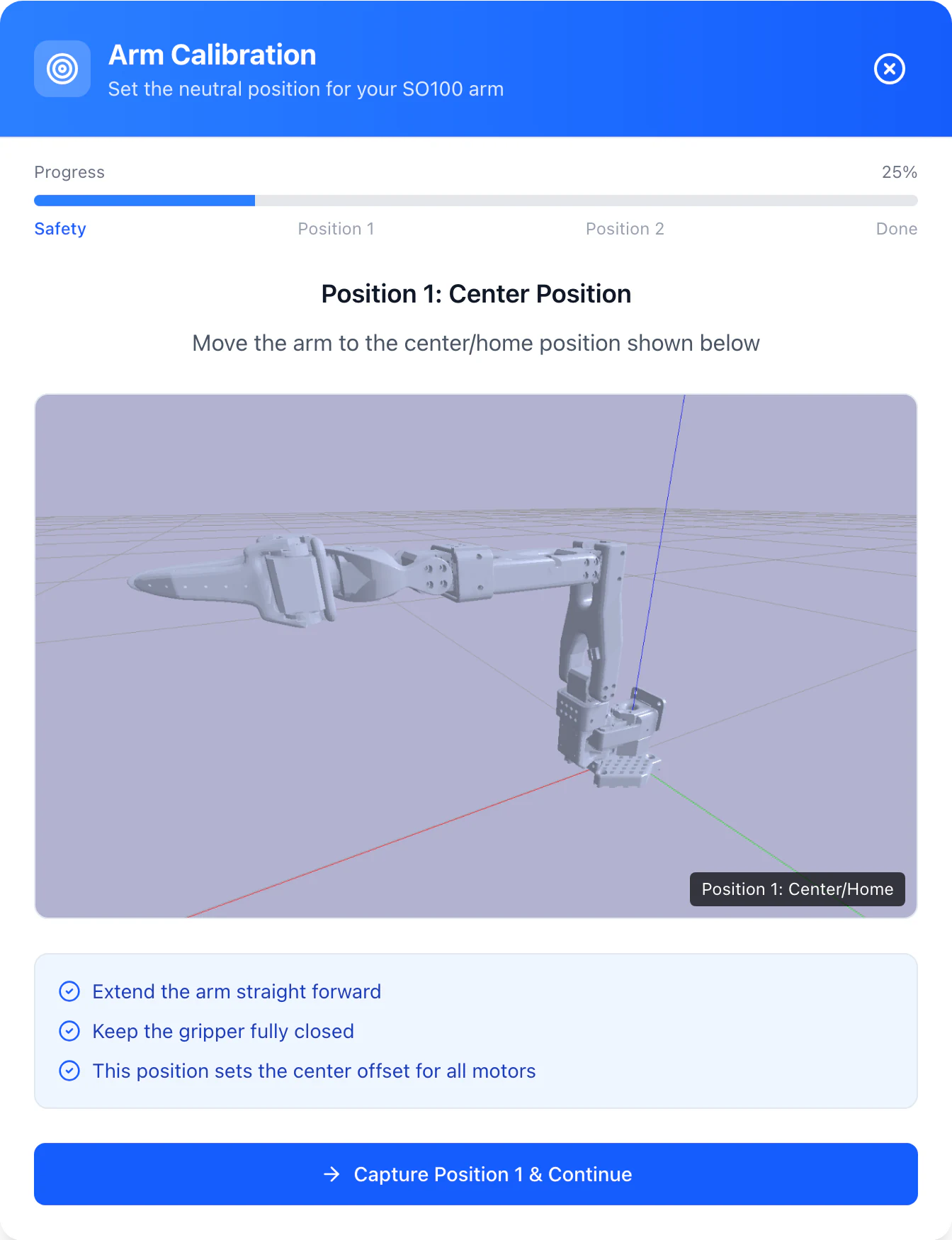
Every pose as a picture
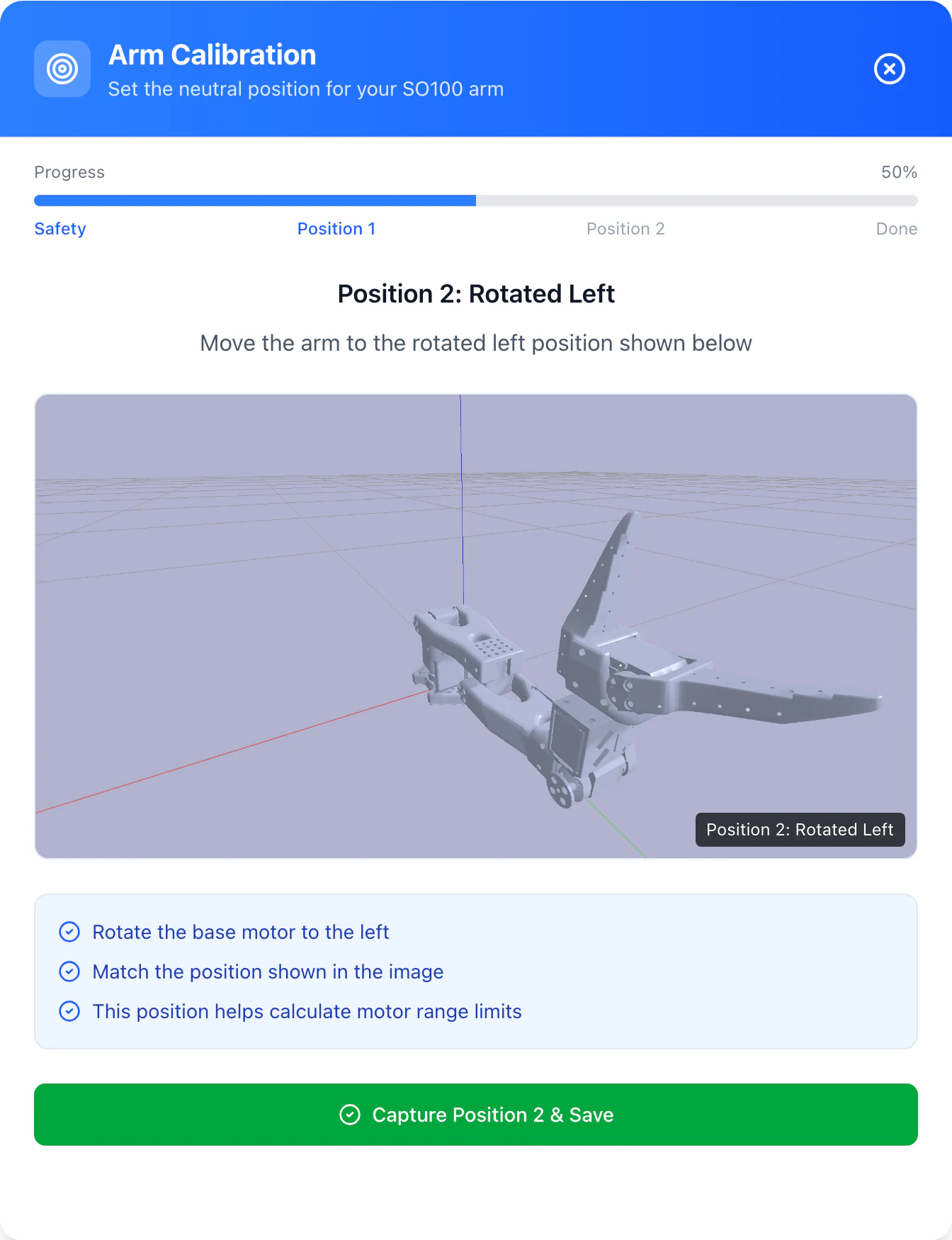
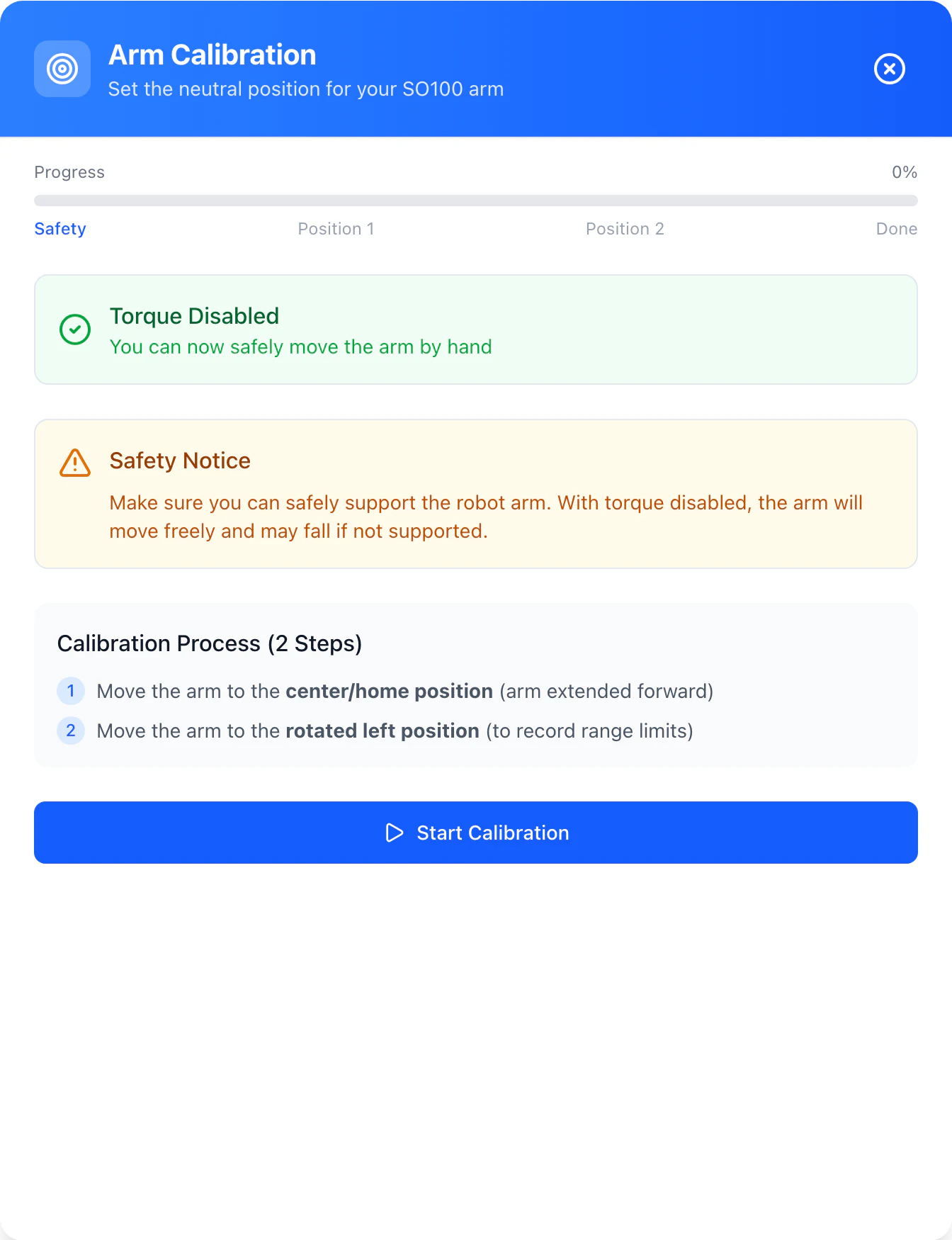
The calibration wizard shows each target pose in a picture. Your customers move the arm into it and the app saves the result.
Meant to keep a badly calibrated arm from coming back to you as a complaint.
Diagram of the overheat protection. Both limits are the defaults of the app.
Protect
Overheat protection from 65 °C
The app reads the servo temperatures. From 65 °C it parks the arm, from 55 °C it releases it again.
Meant to help avoid overheated servos.
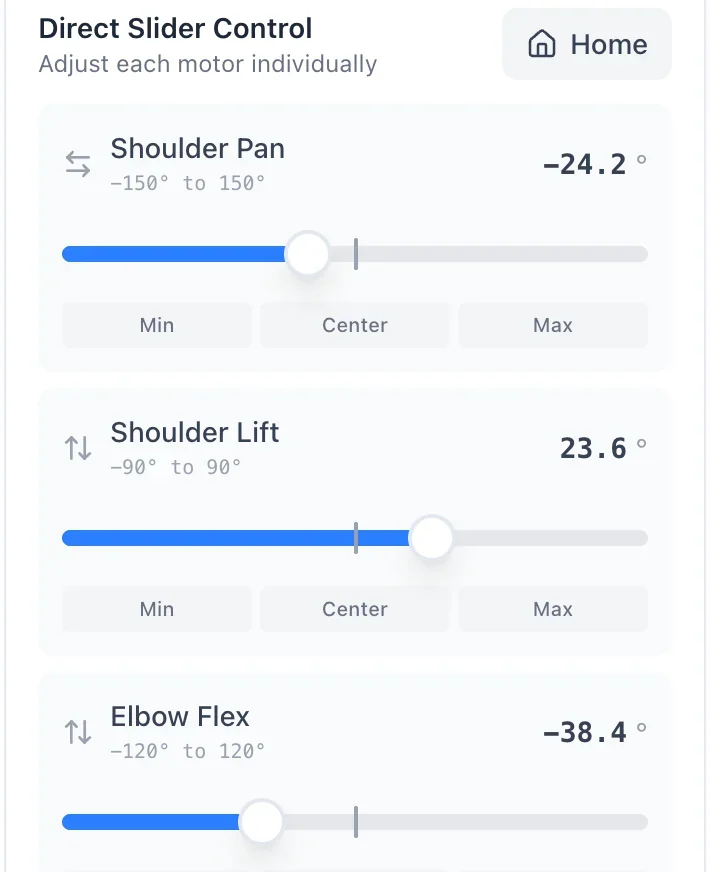
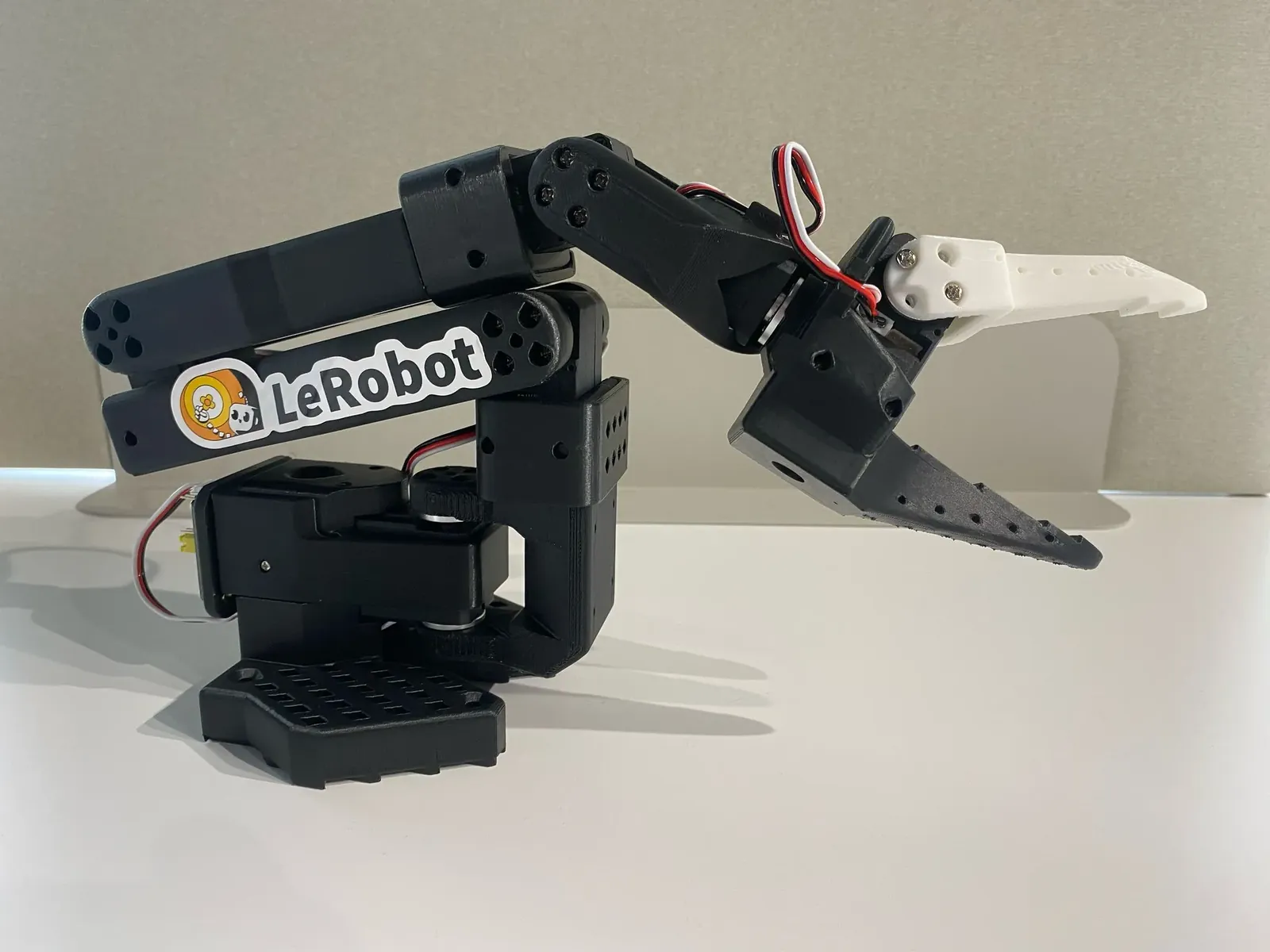
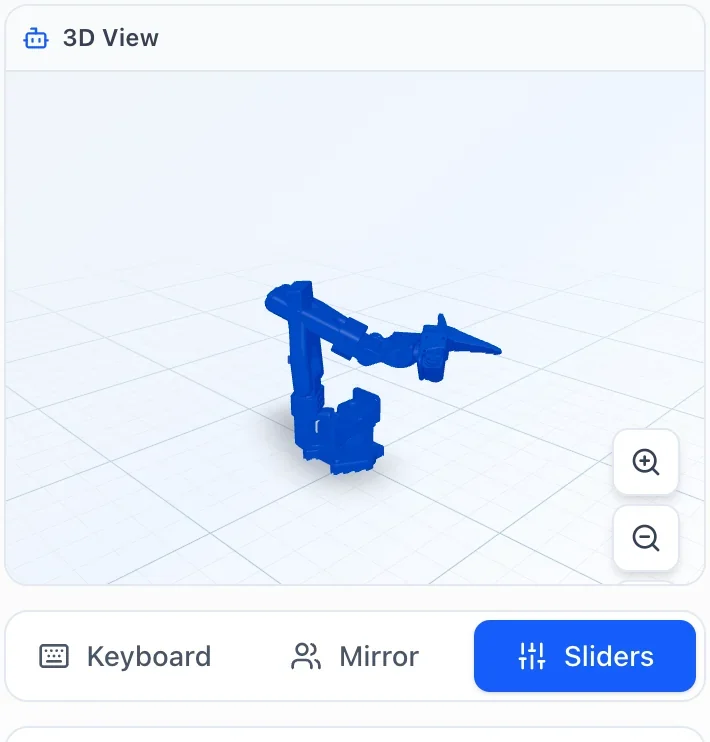
Our SO-100 on a task, and the joint control of the app.
Control
By keyboard, sliders or leader arm
Each joint on its own with keyboard and sliders, or the whole arm with a second arm as the template. The 3D view shows the pose.
Your customers move the arm without writing a line of code.
One episode from our own dataset, both cameras at the same time.
Record
Demonstrations as a dataset
The app saves camera images and joint angles in LeRobot format, ready for training.
This turns the kit into an arm your customers really work with.
Train
Train policies in the cloud
ACT, SmolVLA, Pi0.5 or GR00T on rented GPUs, with their own datasets. Paid for with credit.
This is where you earn: 10% of every top-up and every subscription invoice your customers pay.
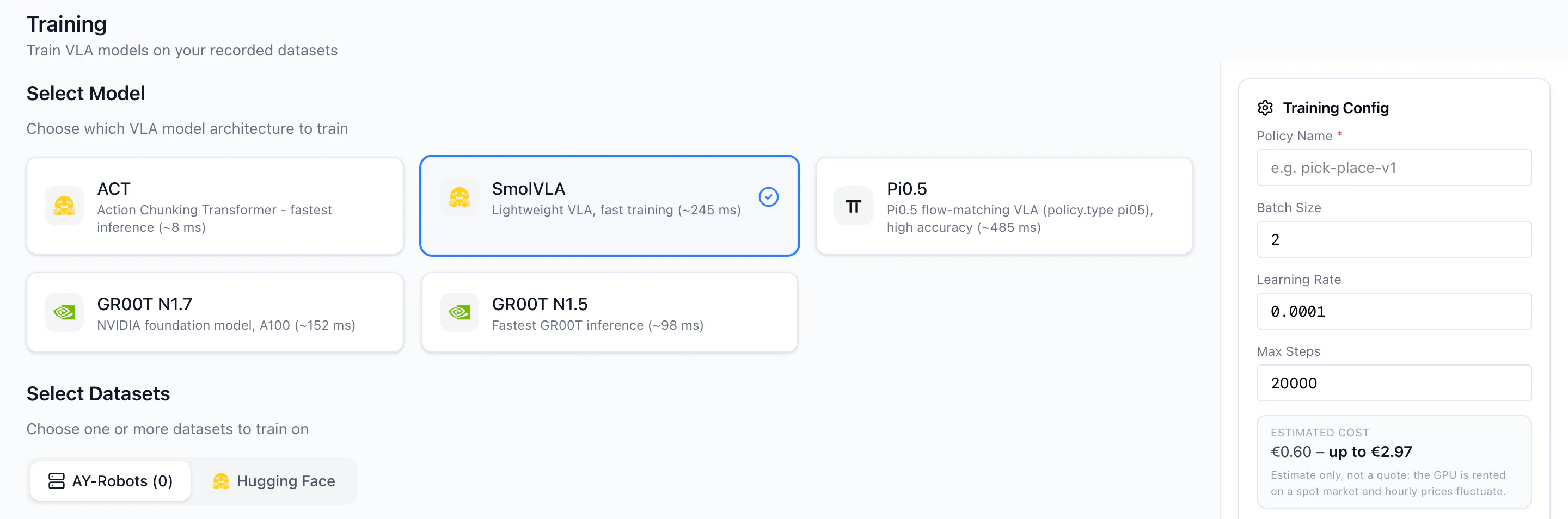
Free for macOS and Linux. The Windows version is a preview and does not detect the SO-100 or USB cameras yet.
What you get out of it
One more argument in your listing
Your arm comes with finished software. Free, for you and for your customers.
Fewer questions after the sale
Motor setup, calibration and overheat protection are meant to catch the typical start problems before they reach you.
10% commission
When your customers pay for training credit or a subscription, you get 10% of the net amount. For 24 months from their sign-up.
The offer
10% of what your customers pay us. For 24 months.
- Free for you. Your customers pay the same prices as everyone else.
- Payouts from € 10, by PayPal or bank transfer.
- Your own dashboard with clicks, sign-ups, paying customers and commission.
How to include the app
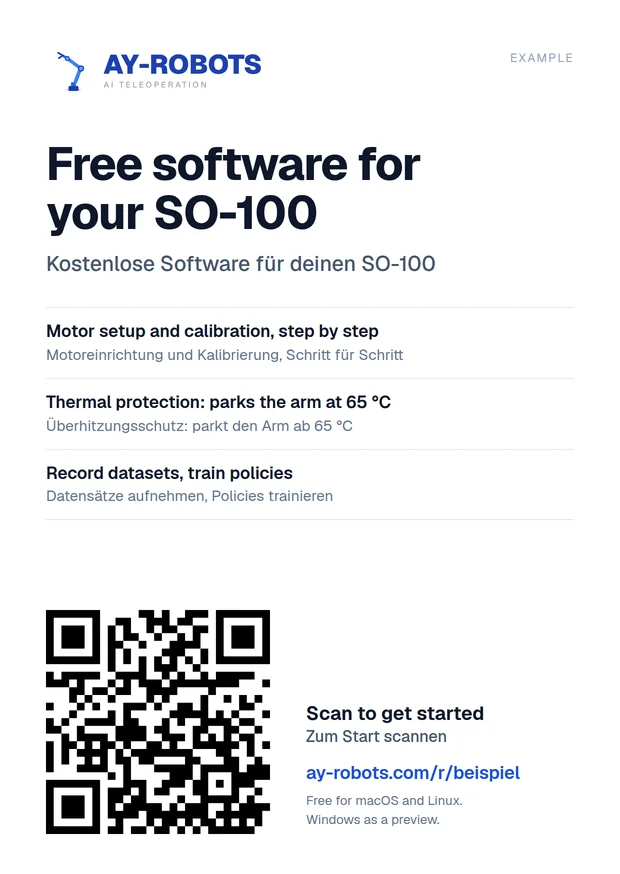
Card in the box
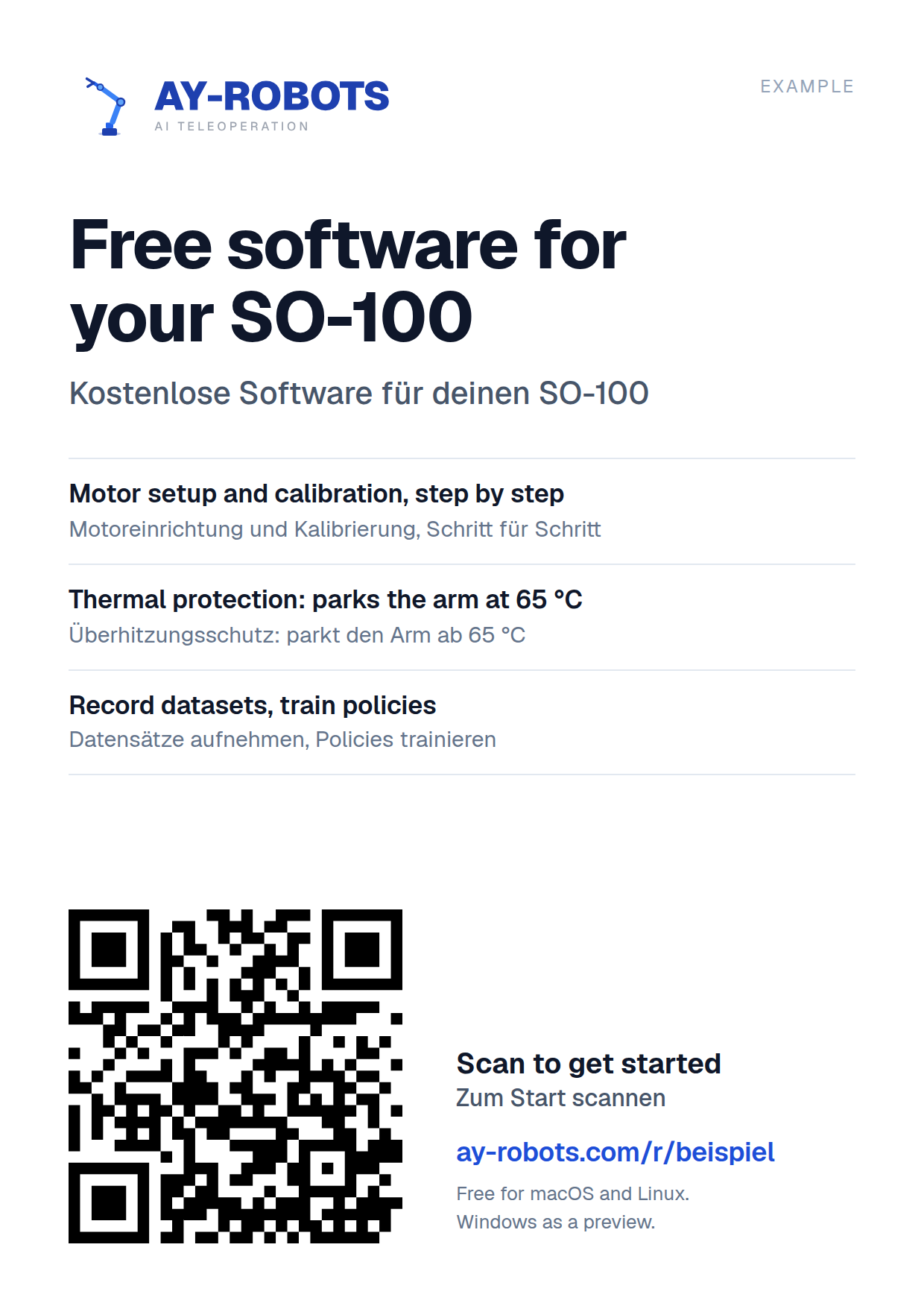
Print the card with your QR code and put it in with the arm.
Example for your product description
This arm runs with the free AY-Robots app: set up the motors, calibrate, control it and record datasets.
ay-robots.com/r/your-shop
Link in your shop
Put your dealer link in the product description or the manual. Ready-made texts in six languages are in the material.
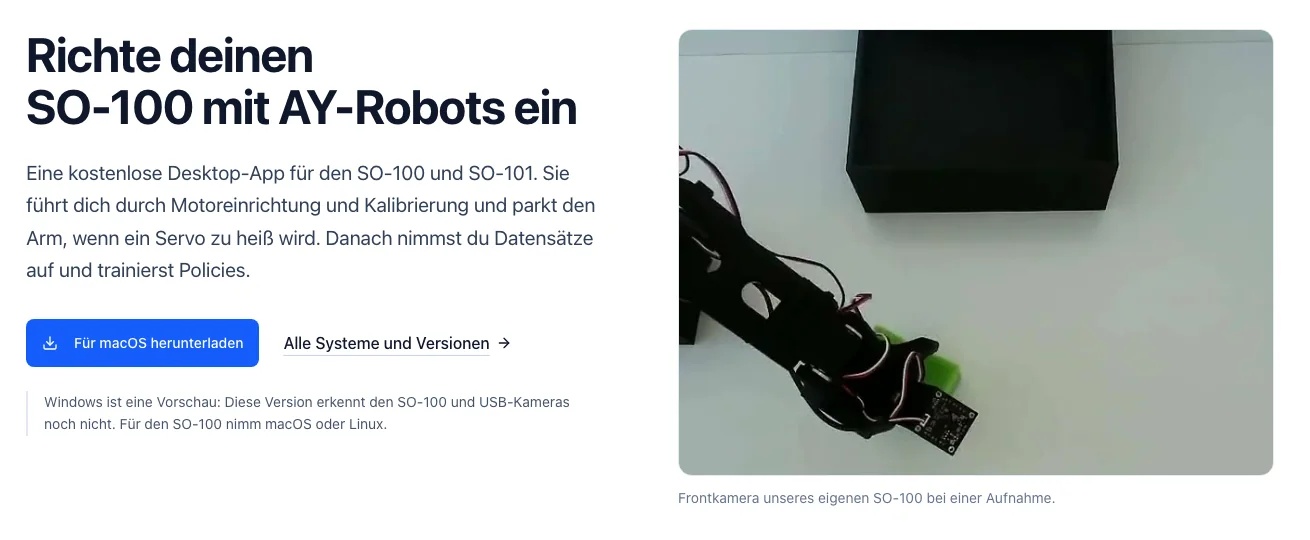
Your customers get started
The link leads to a page with the download and the first three steps.
Anyone who signs up within 90 days of clicking your link is assigned to you. Customers can also enter your partner code in their account themselves, up to 90 days after signing up.
Material for your shop
Real screenshots, a short video, the logo and product texts in six languages. You may use them to present AY-Robots in your shop and in product descriptions.
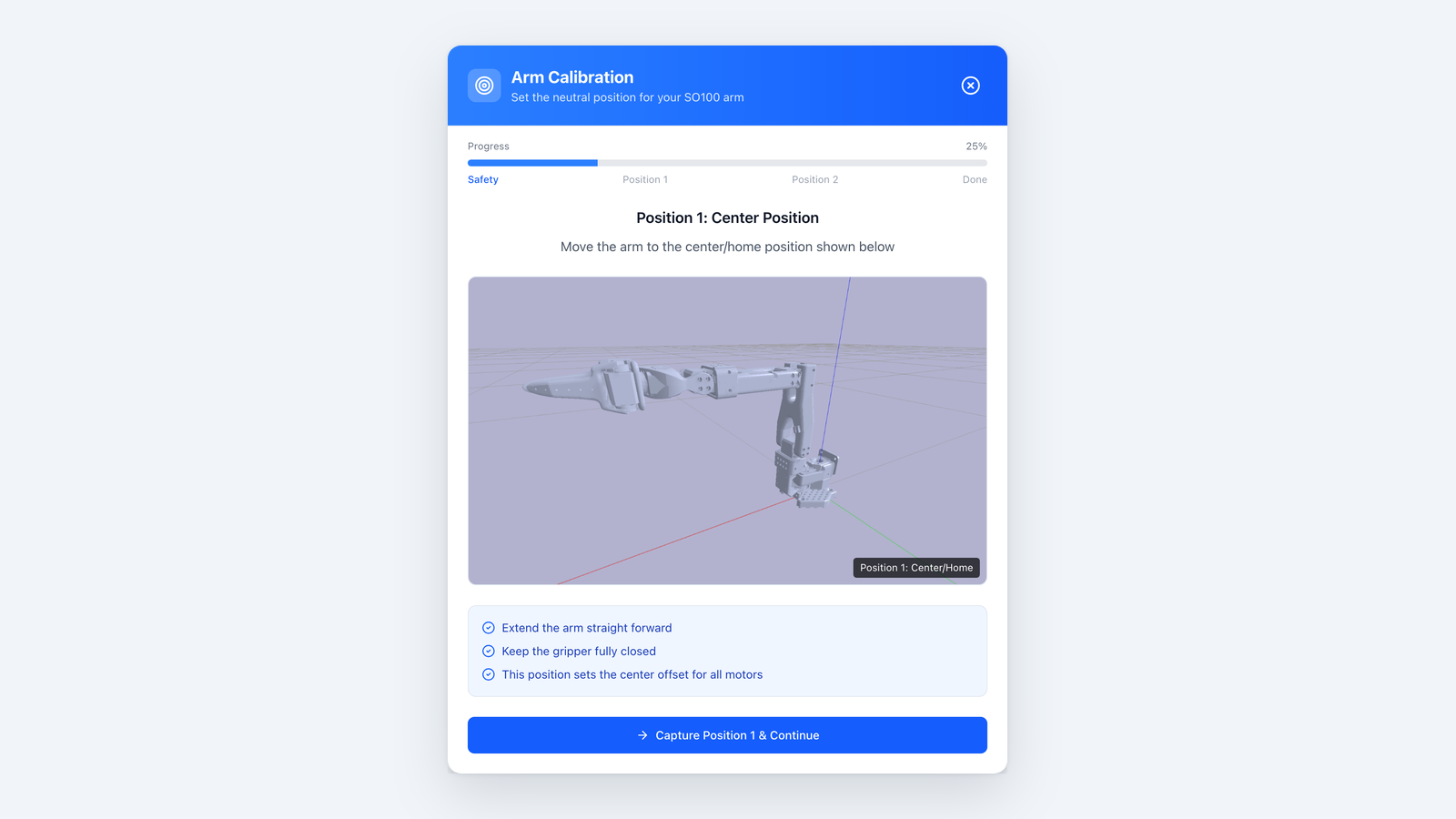 Calibration assistant of the desktop app: the first of two target poses.PNG · 1600 × 900 · 147 KB
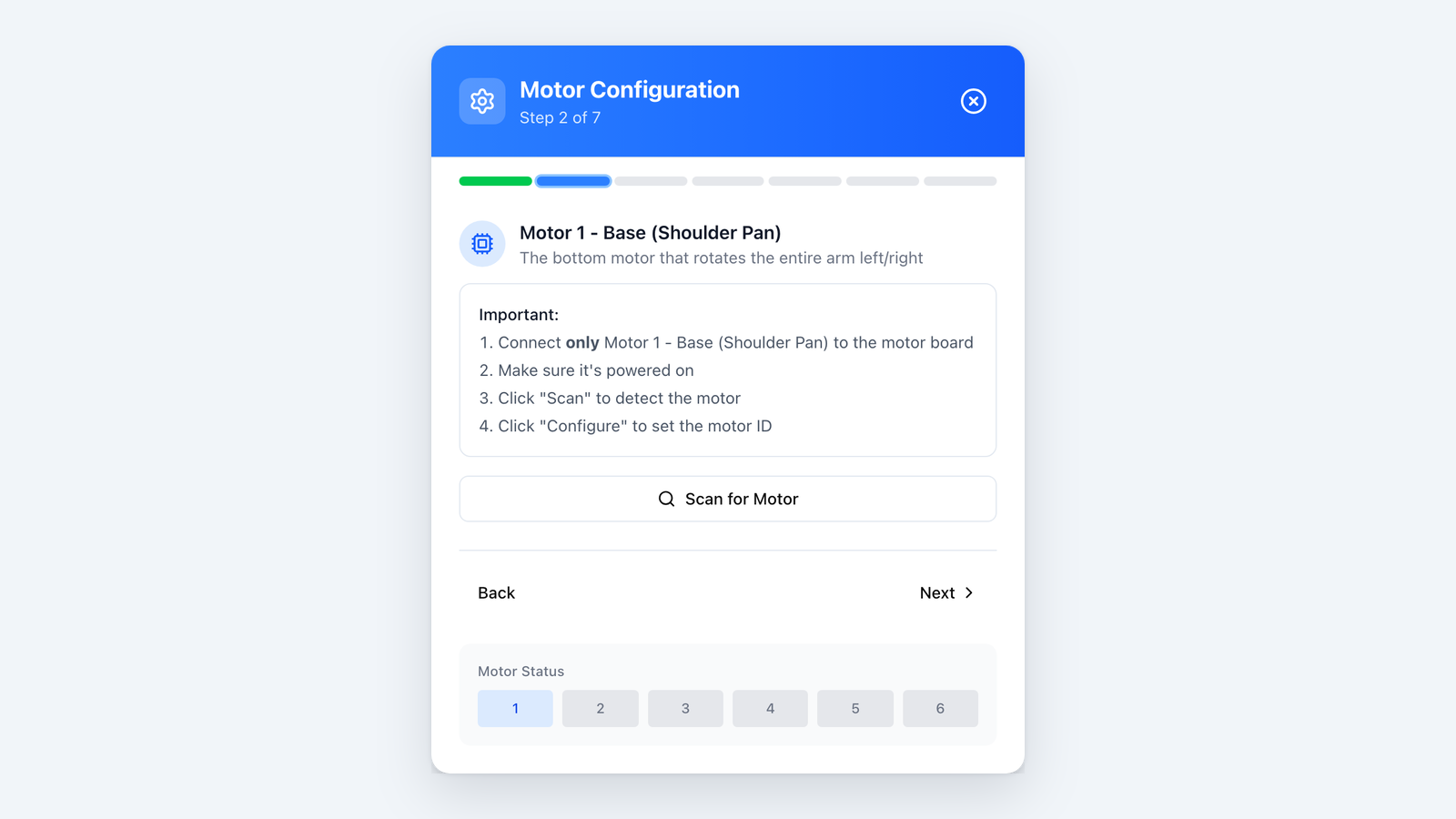 Motor setup in the desktop app: one servo at a time. Only the connected motor gets its ID.PNG · 1600 × 900 · 140 KB
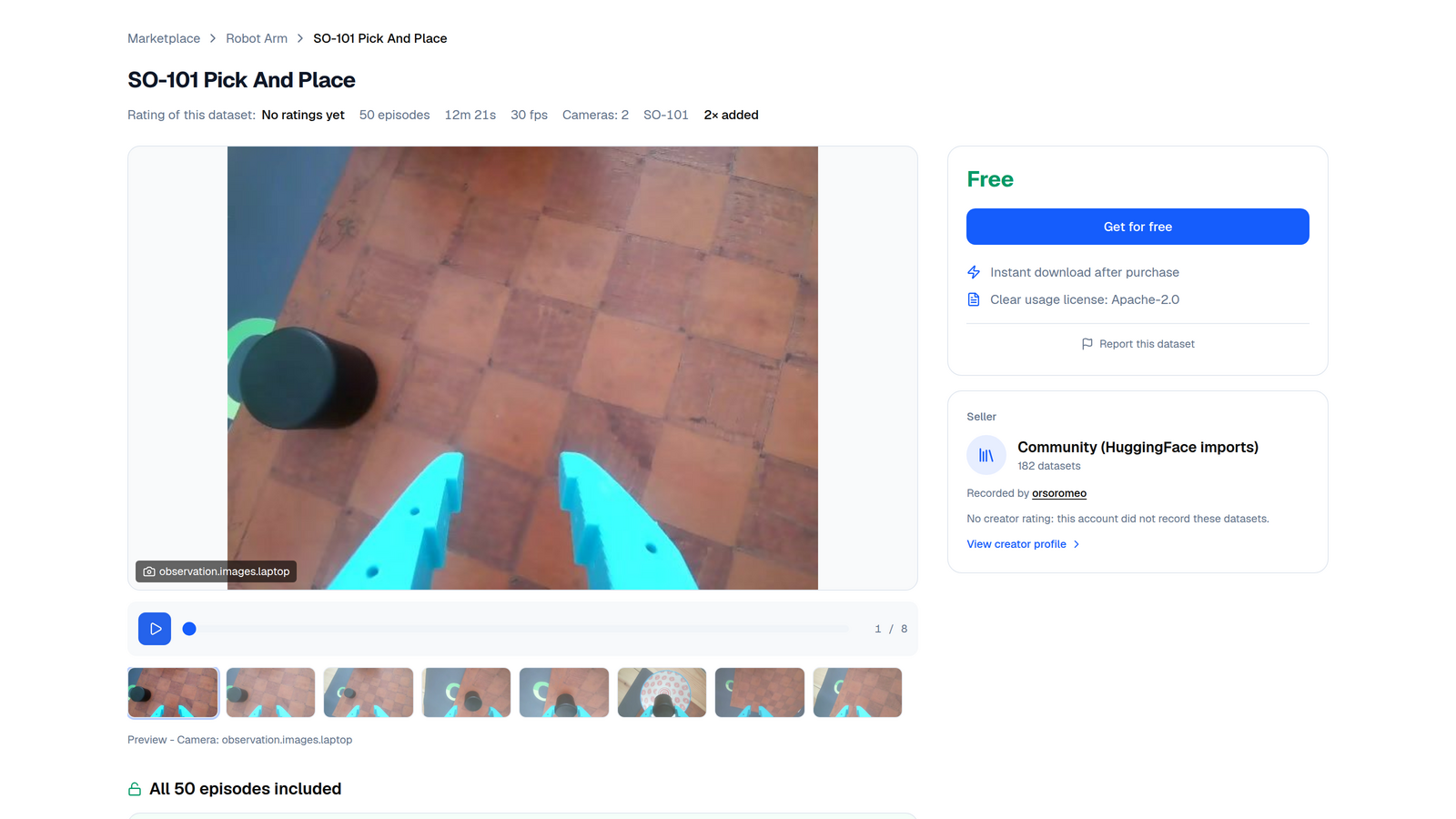 A dataset in the marketplace with a preview of its recordings.PNG · 1600 × 900 · 478 KB
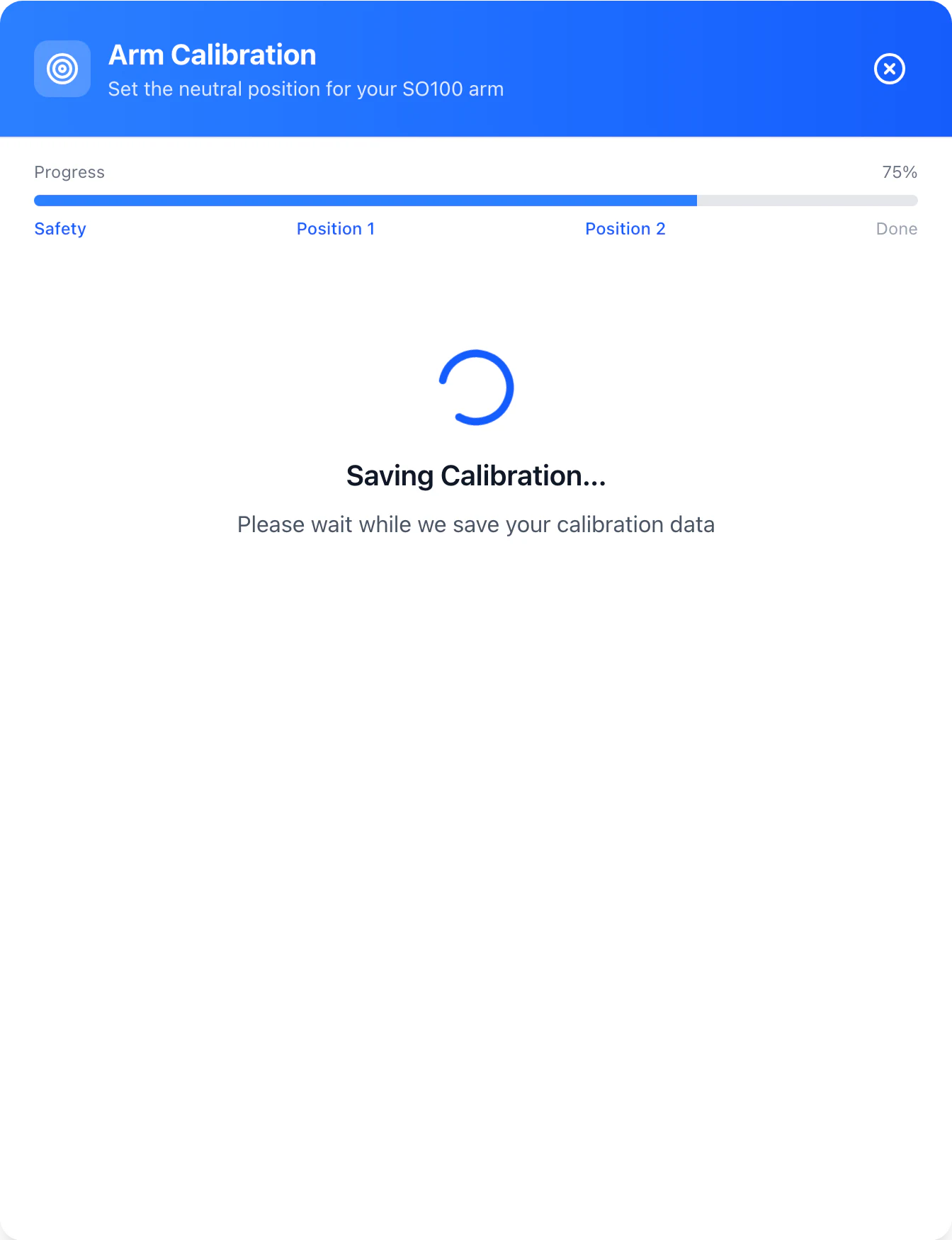
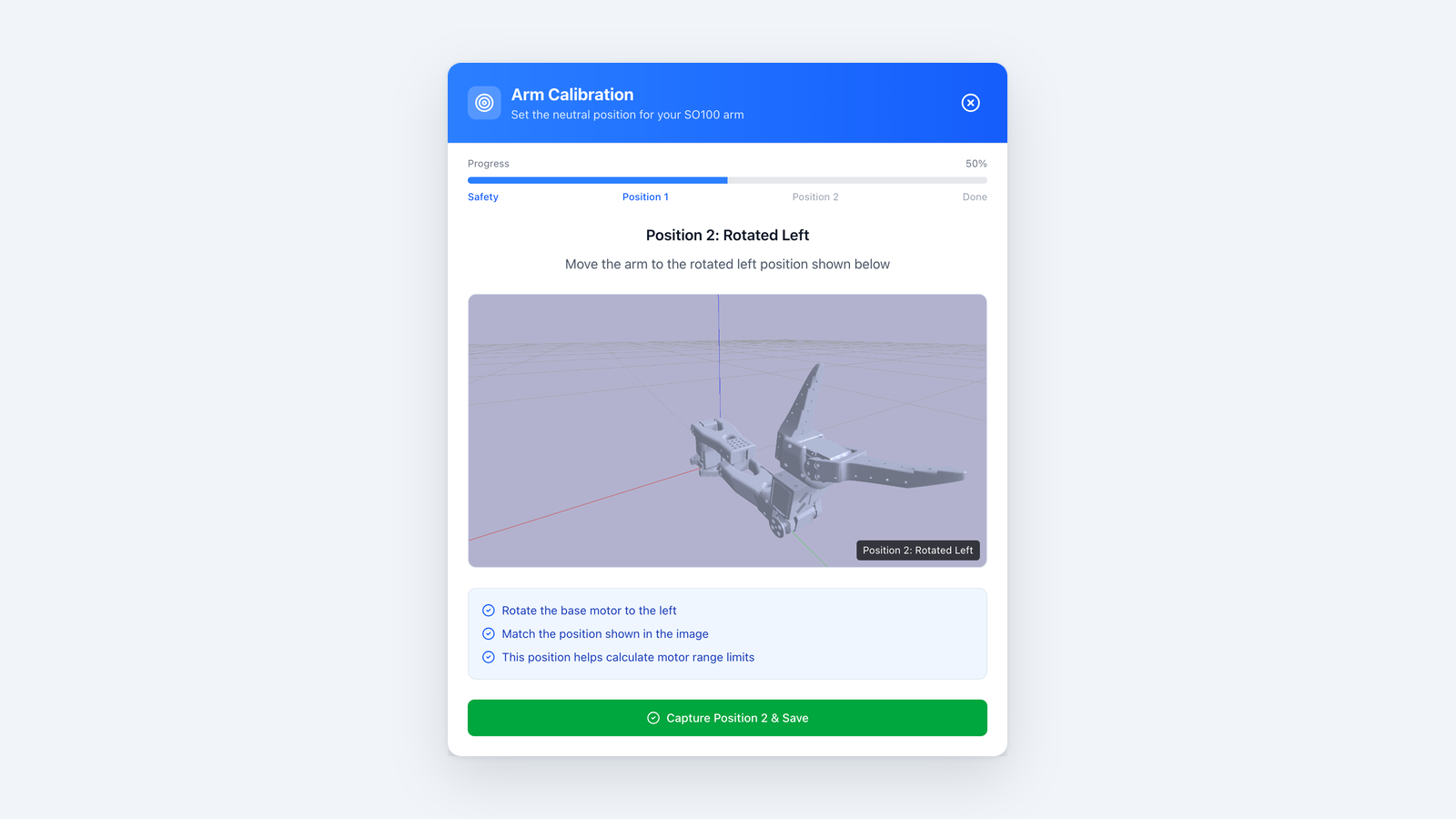 Second target pose of the calibration assistant. After it, the app saves the calibration.PNG · 1600 × 900 · 150 KB
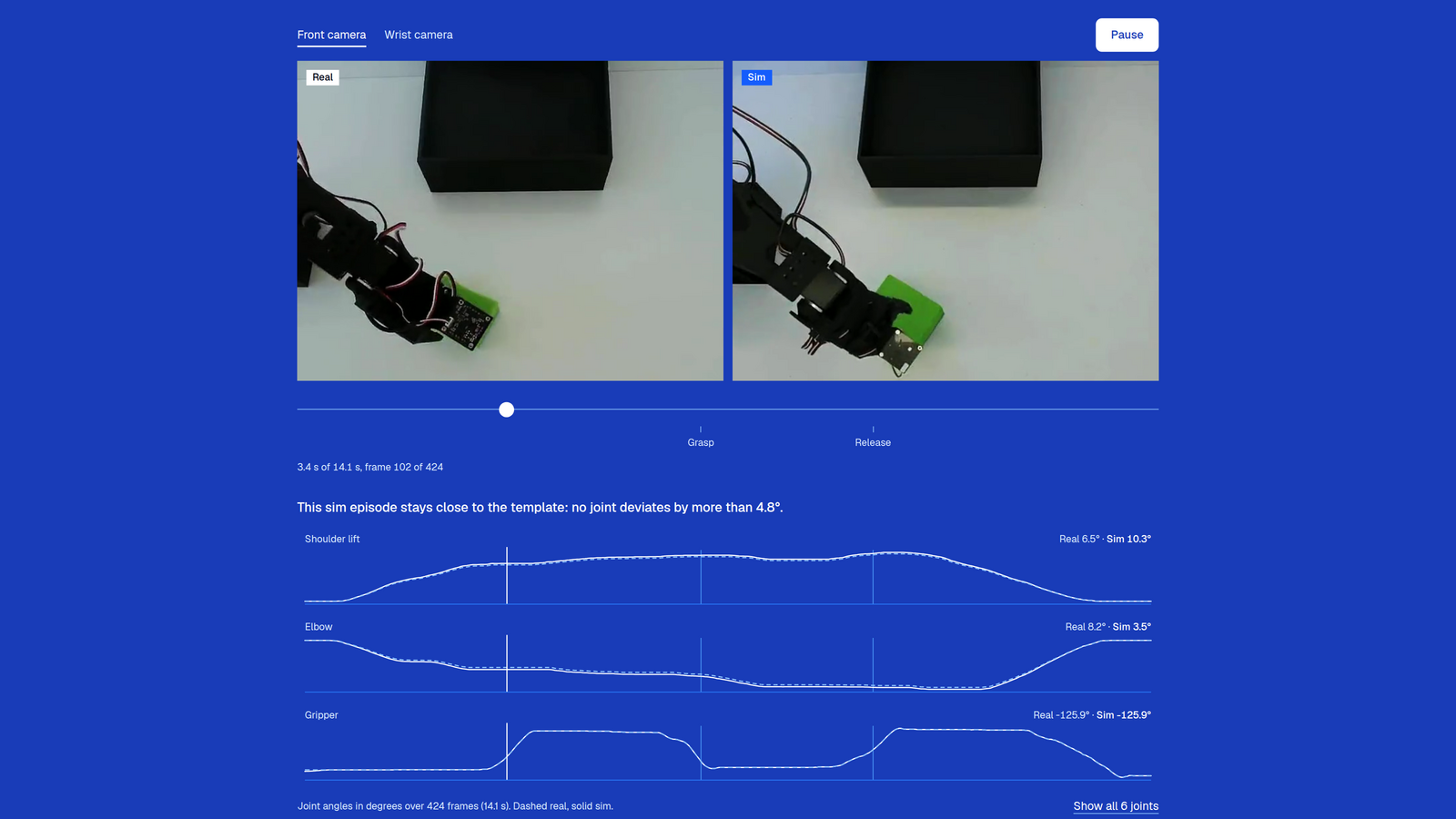 A real recording of our SO-100 (left) next to a simulation made from it, with the joint angles.PNG · 1600 × 900 · 330 KB
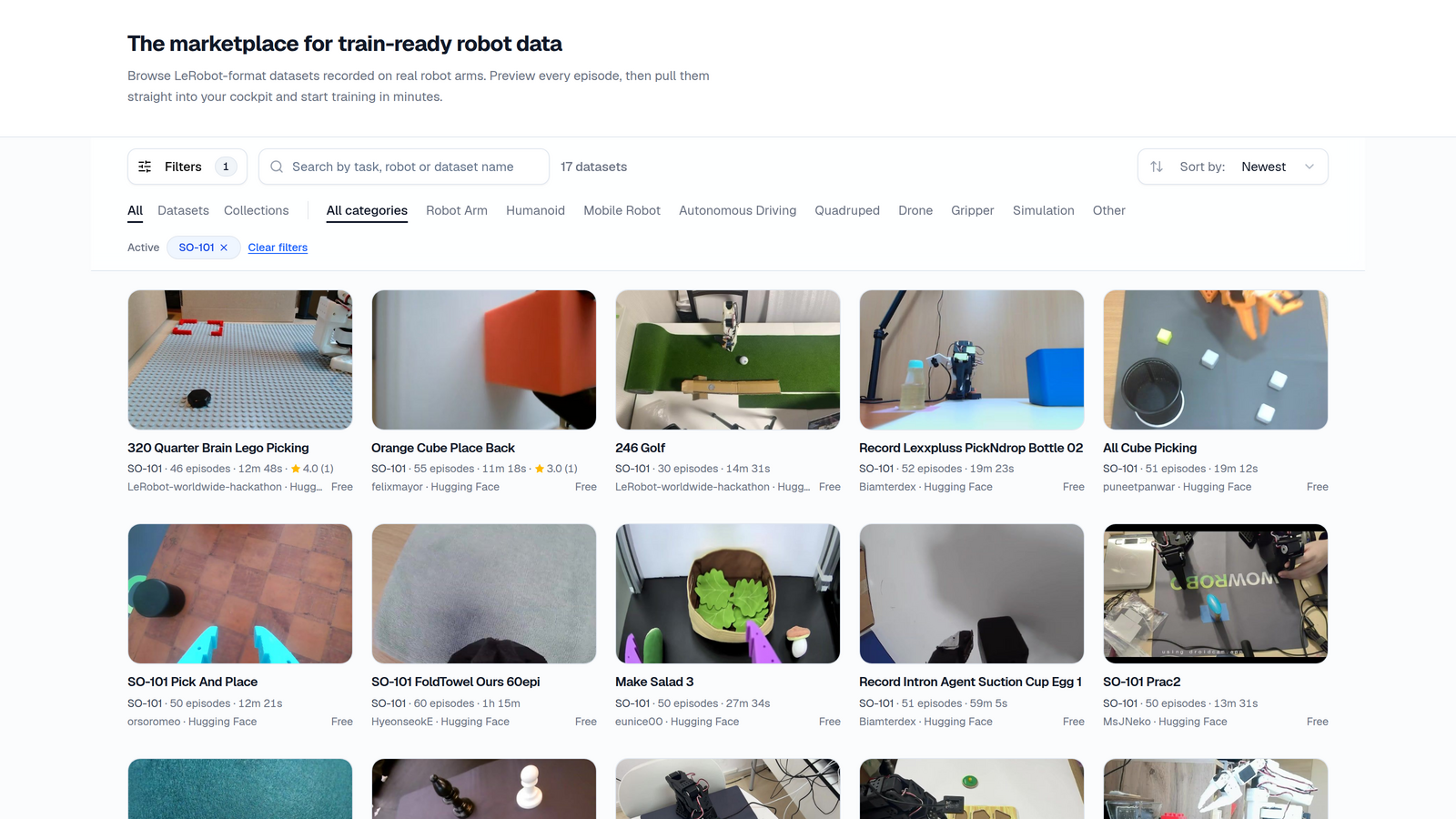 The marketplace: datasets recorded on real robot arms, in the LeRobot format.PNG · 1600 × 900 · 795 KB
- Video
Front camera of an SO-100 during a recording, 14 seconds, no sound.
MP4 · 640 × 480 · 437 KB- Product texts
A short and a long version for your product page, as Markdown.
- Insert card
Example of the A6 card for the box. Your own card with your QR code is in your dashboard.
PNG · A6 · 156 KB
Terms in short
- Commission
- 10% of the net amount (without VAT) of paid training credit and paid subscription invoices of the customers assigned to you, for 24 months from their sign-up. Marketplace purchases do not count, and neither do your own payments.
- Assignment
- The first dealer link a customer clicks counts for 90 days, and an assignment never changes afterwards. Customers can also enter your code in their account within 90 days of signing up. If someone downloads the desktop app through your link and later connects it to an account created within 90 days of the download, we can assign that account to you as an estimate.
- Waiting period
- Commission becomes available 30 days after the payment. If a payment is refunded, its commission lapses.
- Payout
- From € 10 of available commission, on request in your dashboard, by PayPal or bank transfer. We check and release every payout by hand.
- Billing
- We settle by credit note. Enter your company, address and VAT ID in the dashboard if you have them. You are responsible for the taxes on your commission.
- Fair play
- No spam, no misleading advertising, and do not present yourself as AY-Robots. We can switch off links that are used this way.
- Privacy
- You see numbers and amounts, never the names or addresses of your customers.
- Ending
- Both sides can end the partnership at any time. Commission on payments made before that is paid out under these terms.
Free software for your SO-100 customers.
Reply to our e-mail or write to info@ay-robots.com.
AY-Robots is run by Philipp Schmid, Steinenberg 10, 88339 Bad Waldsee, Germany.